


Hey there! I'm a supplier of streaming servers, and I've seen firsthand how important it is to keep your streaming setup up - to - date. In this blog, I'm gonna walk you through the steps on how to upgrade a streaming server. Whether you're running an IPTV service or a multimedia streaming platform, these tips will help you take your server to the next level.
Why Upgrade Your Streaming Server?
Before we dive into the how - to, let's talk about why you might want to upgrade your streaming server. Technology is evolving at a breakneck pace, and if you don't keep up, you'll quickly find yourself left behind.
Firstly, upgrading can improve the performance of your server. An older server might struggle to handle high - definition video streams, especially if you have a large number of users. By upgrading, you can ensure smooth and buffer - free streaming, which is crucial for keeping your viewers happy.
Secondly, security is a major concern. Newer servers come with the latest security features and patches, protecting your content and your users' data from potential threats. Outdated servers are often more vulnerable to cyberattacks, and you definitely don't want that headache.
Lastly, upgrading can give you access to new features. Maybe you want to support new video formats, add interactive features for your viewers, or integrate with other platforms. A more advanced server can make all these things possible.
Assessing Your Current Setup
The first step in upgrading your streaming server is to take a good look at your current setup. You need to understand what you have, what's working, and what needs improvement.
Check the hardware. Look at the CPU, RAM, storage, and network interfaces. Is your CPU struggling to keep up with the processing demands? Do you run out of RAM when there are a lot of concurrent streams? Is your storage space running low? These are all important questions to answer.
Also, evaluate your software. What streaming software are you using? Is it up - to - date? Some software might have limitations that can be overcome by upgrading to a newer version or switching to a different one. For example, if you're using an old version of an IPTV streaming software, it might not support the latest encryption standards.
Another aspect to consider is your network infrastructure. A slow or unreliable network can severely impact the quality of your streams. Make sure your network can handle the bandwidth requirements of your streaming service. If you're experiencing buffering issues, it could be a sign that your network needs an upgrade.
Choosing the Right Upgrade Path
Once you've assessed your current setup, it's time to choose the right upgrade path. There are a few different options, and the best one for you will depend on your specific needs and budget.
Hardware Upgrade
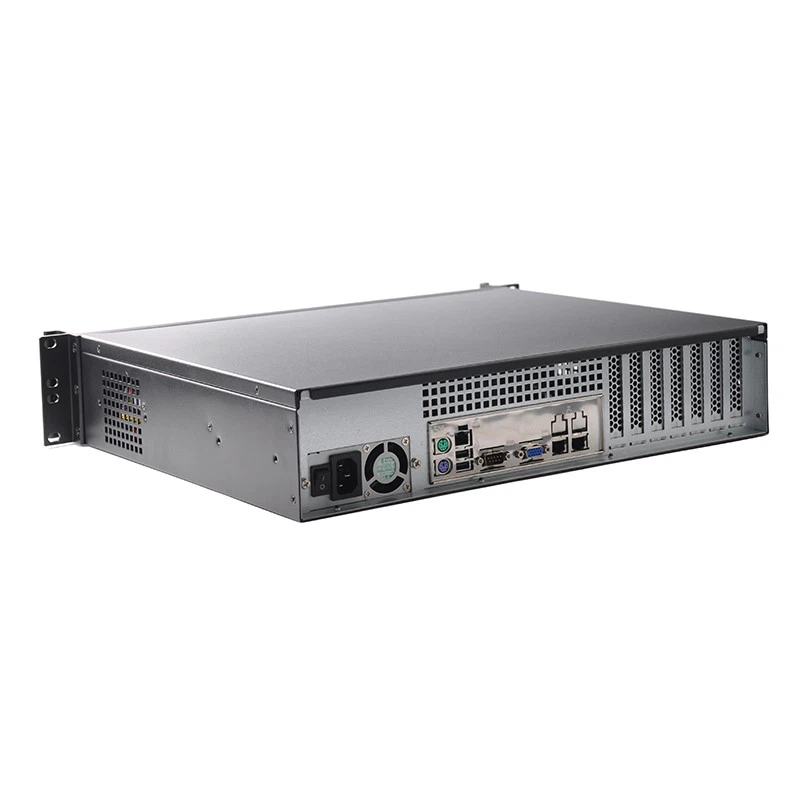
One option is to upgrade your hardware. This could involve replacing your CPU with a more powerful one, adding more RAM, or upgrading your storage to a faster and larger capacity. For example, if you're currently using a traditional hard drive, switching to a solid - state drive (SSD) can significantly improve the read and write speeds of your server, resulting in faster stream delivery.
When upgrading hardware, make sure it's compatible with your existing server components. You don't want to end up with a piece of hardware that doesn't work with the rest of your setup. Also, consider the power requirements of the new hardware. A more powerful CPU or additional RAM might draw more power, so you need to ensure your power supply can handle it.

Software Upgrade
Upgrading your software can also be a great way to improve your streaming server. Many streaming software providers regularly release updates that include performance improvements, new features, and security patches. Check the official website of your streaming software for the latest version and follow the upgrade instructions carefully.
If you're using an open - source streaming software, you can also look into community - developed plugins or extensions that can enhance its functionality. For example, there are plugins that can add support for new video codecs or improve the scalability of the software.
Switching to a New Server
In some cases, it might be more cost - effective and beneficial to switch to a new server altogether. This is especially true if your current server is very old and no longer meets your requirements. When choosing a new server, consider factors such as processing power, storage capacity, and network capabilities.
There are different types of servers available, such as dedicated servers and cloud - based servers. Dedicated servers offer more control and security, but they can be more expensive to set up and maintain. Cloud - based servers, on the other hand, are more flexible and scalable, and you only pay for the resources you use.
Implementing the Upgrade
Once you've decided on the upgrade path, it's time to implement the upgrade. This is a critical step, and you need to make sure you do it right to avoid any downtime or data loss.
Backing Up Your Data
Before you start any upgrade, make sure you back up all your important data. This includes your streaming content, user information, and configuration files. You can use external hard drives, cloud storage, or a backup server to store your data. Having a backup ensures that you can restore your server to its previous state in case something goes wrong during the upgrade.
Testing the Upgrade
It's a good idea to test the upgrade in a staging environment before implementing it in your production environment. This allows you to identify and fix any potential issues without affecting your users. Set up a test server with the same configuration as your production server and perform the upgrade on it. Test all the features of your streaming service to make sure everything is working as expected.
Upgrading in Phases
If possible, upgrade your server in phases. This reduces the risk of a major outage. For example, you can start by upgrading the hardware, then test it thoroughly. Once you're satisfied with the hardware upgrade, you can move on to upgrading the software.
Post - Upgrade Testing and Optimization
After the upgrade is complete, it's important to test your streaming server again to make sure everything is working properly. Check the performance of your server under different loads. Try streaming different types of content to different devices to ensure compatibility.
Monitor the server closely for the first few days after the upgrade. Look for any signs of instability, such as high CPU usage, memory leaks, or network issues. If you notice any problems, address them immediately.
You can also optimize your server further after the upgrade. For example, you can fine - tune the settings of your streaming software to improve performance. You can also optimize your network configuration to reduce latency and improve bandwidth utilization.
Conclusion
Upgrading your streaming server is a crucial step in ensuring the success of your streaming service. By following the steps outlined in this blog, you can make the upgrade process smooth and painless. Whether you choose to upgrade the hardware, software, or switch to a new server, the key is to plan carefully, test thoroughly, and optimize continuously.
If you're interested in learning more about our IPTV Stream Server or Multimedia Streaming Server, or if you have any questions about upgrading your streaming server, don't hesitate to reach out. We're here to help you take your streaming service to the next level. Contact us today to start the procurement and negotiation process.
References
- Streaming Server Best Practices Guides from Industry Experts
- Manufacturer Documentation for Server Hardware and Software