


Hey there! As a supplier of transcoding solutions, I've been in the thick of the transcoding game for quite a while. One question that keeps popping up from our clients is, "What affects the transcoding speed?" Well, in this blog, I'm gonna break it down for you.
1. Source Video Characteristics
First off, let's talk about the source video itself. The resolution of the video is a major factor. Higher - resolution videos, like 4K or 8K, have a ton more pixels to process compared to lower - resolution ones like 720p. When you're transcoding a 4K video, your transcoder has to deal with a much larger amount of data. Each pixel needs to be analyzed, converted, and compressed according to the target format.
For example, if you're taking a 4K video and transcoding it to a standard 1080p format, the transcoder has to scale down all those extra pixels. This process takes time, especially if the video has complex details or fast - moving scenes.
The frame rate also plays a crucial role. A video with a high frame rate, say 60 frames per second (fps) or 120 fps, has more frames to process in a given time compared to a video with a lower frame rate like 24 fps. Each frame is like a still image, and the transcoder has to work on every single one of them. So, a high - frame - rate video will generally take longer to transcode.
Another important aspect is the video codec used in the source file. Some codecs, like H.265 (also known as HEVC), are more efficient in terms of compression but are also more computationally intensive to decode and encode. If your source video is in H.265 and you're transcoding it to a different codec, the transcoder has to first decode the complex H.265 stream and then encode it into the new format. This double - process can slow down the transcoding speed significantly.

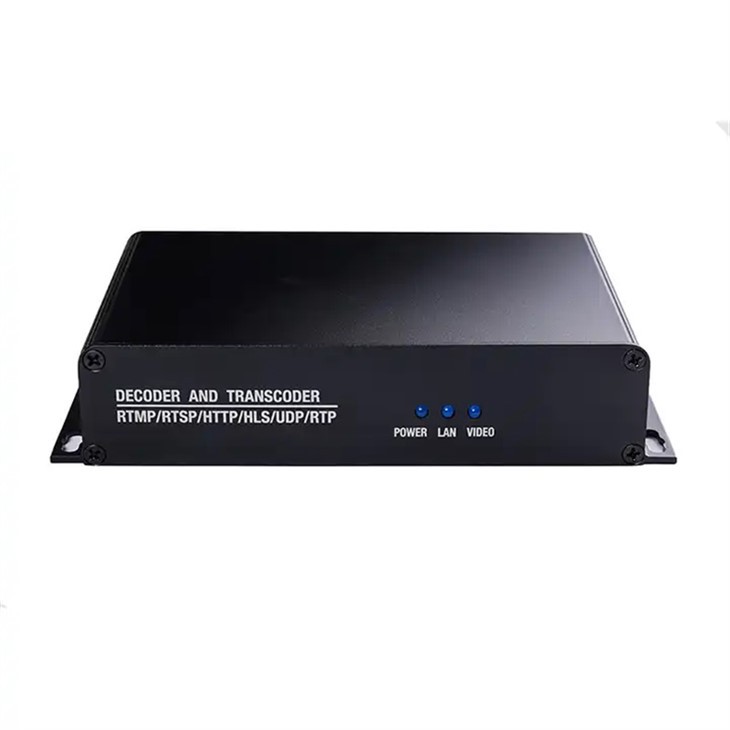
2. Hardware Resources
Now, let's move on to the hardware that does the actual transcoding work. The CPU (Central Processing Unit) is the brain of the operation. A powerful CPU with multiple cores and high clock speeds can handle transcoding tasks much faster. For instance, a modern multi - core CPU can divide the transcoding workload among its cores, allowing different parts of the video to be processed simultaneously.
If you're using an older or less - powerful CPU, it might struggle to keep up with the demands of transcoding, especially for high - resolution or high - frame - rate videos. It's like trying to run a marathon with a sprained ankle; the process will be slow and inefficient.
The GPU (Graphics Processing Unit) can also have a big impact on transcoding speed. Many modern transcoders support GPU - accelerated transcoding. GPUs are designed to handle a large number of parallel tasks, which makes them great for processing the complex algorithms involved in video transcoding. For example, NVIDIA's CUDA technology can significantly speed up the transcoding process by offloading some of the work from the CPU to the GPU.
Memory, or RAM (Random Access Memory), is another key hardware component. When transcoding a video, the transcoder needs to load parts of the video file into memory for processing. If you don't have enough RAM, the transcoder might have to constantly swap data between the hard drive and memory, which can slow down the process. It's like trying to build a house with only a small toolbox; you have to keep going back and forth to get the right tools, wasting a lot of time.
3. Target Format and Settings
The target format you're transcoding to also affects the speed. Some formats are more complex to encode than others. For example, if you're transcoding a video to a format that requires a high level of compression, like the WebM format for online streaming, the transcoder has to work harder to reduce the file size while maintaining an acceptable level of quality. This involves more complex algorithms and more processing power.
The bitrate settings for the target format are also important. A higher bitrate means more data per second in the output video, which generally results in better quality but also takes longer to encode. If you set a very high bitrate for your target video, the transcoder has to allocate more resources to process and compress the data, slowing down the overall transcoding process.
4. Network and Storage
If you're dealing with large video files, the network speed and storage performance can become bottlenecks. If your source video is stored on a slow hard drive or you're retrieving it over a slow network, it can take a long time to transfer the file to the transcoder. Similarly, if you're saving the transcoded video to a slow storage device or over a slow network, the process of writing the output file can also be time - consuming.
For example, if you're using an old mechanical hard drive, its read and write speeds are much slower compared to a modern solid - state drive (SSD). An SSD can transfer data much faster, allowing the transcoder to access and save the video files more quickly.
5. Software and Optimization
The transcoding software you use matters a lot. Some software is more optimized for certain hardware configurations and video formats. Our Video Transcoder is designed to take full advantage of modern CPUs and GPUs, using advanced algorithms to speed up the transcoding process. It's also optimized for a wide range of input and output formats, ensuring efficient and fast transcoding.
Another aspect is the level of optimization in the transcoding settings. Some software allows you to adjust various parameters to fine - tune the transcoding process. For example, you can choose between different encoding presets, such as "fast", "medium", or "slow". The "fast" preset will generally result in a quicker transcoding time but might sacrifice some quality, while the "slow" preset will take longer but produce a higher - quality output.
Our Converter Multiplexer also offers a range of optimization options. It can handle multiple input and output streams simultaneously, which can save a lot of time if you're transcoding multiple videos or combining different audio and video tracks.
Conclusion
So, as you can see, there are many factors that affect the transcoding speed. From the characteristics of the source video to the hardware resources, target format, network, and software optimization, every aspect plays a role. At our company, we understand these factors and have developed our transcoding solutions to address them.
If you're looking for a reliable and fast transcoding solution, we're here to help. Whether you're a small business looking to transcode a few videos for your website or a large media company dealing with high - volume transcoding tasks, our products can meet your needs. Don't hesitate to reach out to us for more information and to discuss your specific requirements. We're always ready to have a chat and find the best transcoding solution for you.
References
- "Video Coding and Standards" by V. Chandrasekhar, R. Sullivan, and T. Wiegand
- "High - Efficiency Video Coding (HEVC): Algorithms and Architectures" by R. Schwarz, J. Wiegand, and T. Wiegand